
Featured Content


STOCKS


MUTUAL FUNDS


PRECIOUS METALS




TECHNICAL ANALYSIS


TRADING
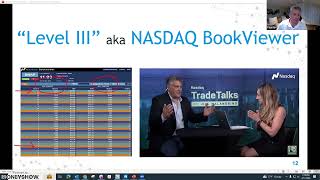
Join seasoned trader Fausto Pugliese as he unravels the closely guarded secrets of market makers. This dynamic webinar equips both beginners and seasoned traders with essential tools to navigate the markets with confidence and precision.
You will also learn:
· Master market maker fundamentals and their impact on day trading.
· Essential day trading concepts, including technical analysis and order types.
· Strategies to leverage market maker behavior for potential profit.

TECHNICAL ANALYSIS

Providing financial support to your children and grandchildren can be a very rewarding experience. But how can that best be done? In this presentation, learn how best to invest in your children’s and grandchildren’s educational and financial future to ensure that your gifts align with both your individual and family goals.

FINANCIAL AND ESTATE PLANNING
MARKET MINUTE

The MoneyShow Market Minute for April 19, 2024
STOCKS
TOP PROS' TOP PICKS

HFMDX: A Growth-Focused Fund That Remains Attractive in a Tougher Market
MUTUAL FUNDS
TOP PROS' TOP PICKS

Gold Miners: Primed to Catch Up, Overtake Gold as Precious Metals Rally
PRECIOUS METALS
TOP PROS' TOP PICKS

IEO: An Energy Fund That Could Help You Strike While the Iron is Hot
TRADING INSIGHTS

Technical Indicators Continue to Show Declining Momentum
TECHNICAL ANALYSIS
TRADING INSIGHTS

Teck Resources Looks Ready to Break Out
TRADING
Virtual Learning
Day Trading 101: Mastering Technical Analysis
TECHNICAL ANALYSIS
Virtual Learning

Financial Planning for Parents and Grandparents
FINANCIAL AND ESTATE PLANNING
Conferences






Conferences


Virtual Learning
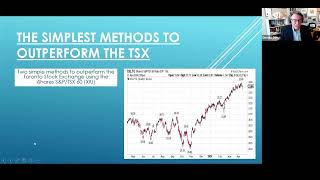
In this presentation, Donald Dony will reveal two simple methods to outperform the Toronto Stock Exchange using the iShares S&P/TSX 60 (XIU). The first method enhances a time-tested strategy of moving average crossover. The second method uses the XIU and sectors. Donald will reveal a straightforward technique focused on buying only the sector ETFs outperforming the XIU.

ETFs
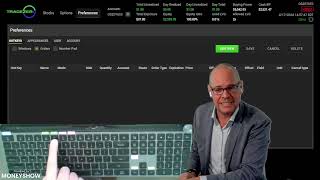
Join Orion Szathmary, CEO of TradeZero Canada, for a 30-minute session showcasing the features that matter most to many active traders. Discover how custom hotkey shortcuts can streamline your trading, allowing for quick and efficient order execution. Explore advanced order types like range and contingent orders, which offer greater flexibility in your trading strategies. Enjoy free liquidity-adding orders for stock trades, flat-rate commissions of $0.59 per contract for options trades, and 24/7 customer support. This session is your chance to see how TradeZero Canada's toolkit can support your active trading goals, all while benefiting from training, education, and round-the-clock service. Don't miss this opportunity to learn how TradeZero Canada is changing the game for Canadian day traders.

TRADING TOOLS

IBD’s MarketDiem newsletter gives you hand-picked trade ideas for stocks and options right in your inbox every weekday during market hours. Our team does the research, so you get smarter trading insights, timely market analysis, and even bite-size investing lessons––all in a quick 5-minute read. Subscribe today for $4.99 per month or just $20 for the entire year.

TRADING
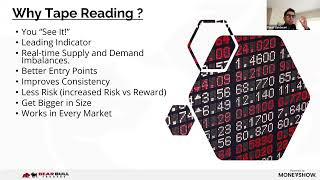
Dive into the art of decoding order flow, mastering market dynamics, and maximizing profits. Join Paras for a dynamic session where you'll explore essential tape reading skills and witness live demonstrations to pinpoint the imbalance between buyers and sellers. Elevate your trading game and transform your strategy with this must-attend event.

TRADING
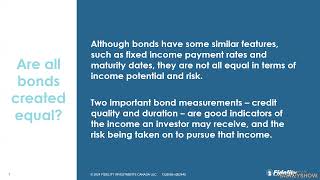
Raghav Mehta CFA, ETF strategist at Fidelity Investments Canada discusses upcoming opportunities in fixed income. With central banks nearing the end of rate hike cycles, bond investors had faced a challenging and volatile environment. With yields near decade highs, there are now various sectors of the bond market that investors should consider when building a well-diversified portfolio.

ETFs

It's an exciting time for commodities and the companies exploring and producing them! Many are surging in value, while other up-and-comers appear poised to do so next. Find out from this trio of natural resource companies in the uranium, copper/gold, and lithium sectors what business looks like. Then, learn about the unique profit opportunities each offers investors in the rest of 2024 and beyond.

ALTERNATIVES
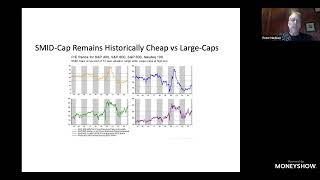
After six tough years in the small and mid-cap world, investors are finally taking notice of faster growth and low valuations in the sector. Last year, small and mid-cap valuations got below pandemic lows and very close to the 2008 financial crisis lows. Relative to large caps, small caps are about as cheap as they've ever been. In this presentation, Peter James Hodson will examine what caused the decline, the catalysts for improvement, and what lies ahead. He will also reveal and discuss some of his favourite US and Canadian small and mid-cap companies.

STOCKS
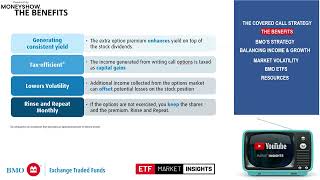
The growth of covered call ETFs has led to a broad range in distribution yields on the different products, each with its own set of choices and trade-offs. In this session, we explore what drives the yield on a covered call ETF. We explore key considerations an investor can use to make an informed decision when investing in these solutions. Balancing a reliable source of cash flow while generating growth from an investment portfolio is the key objective for many investors. Sophisticated investors know that there are trade-offs to be made but may not know what those are. We will discuss the various approaches to covered call strategies, their benefits, and their implications for one’s portfolios, all with the goal of helping investors determine the right mix for their own investment objectives. BMO ETFs is the leading covered call ETF provider by AUM, and number of listings1, with many of our ETFs having over a 10+ years track record. Our ETFs aim to provide yield you can trust for access to growth and cash flow.

ETFs

In this session, Dalia Barsoum and Rachel Oliver will reveal a real estate investment strategy that allows you to benefit from the direct ownership of Canadian real estate without the headaches of tenants and toilets. They will also delve into why now is one of the best times to own Canadian real estate using this strategy, how it compares to other real estate investing strategies, and how to structure deals and financing to earn double-digit annualized returns and mitigate the risks involved with this investment strategy.

REAL ESTATE

Alternative investments, such as real estate mortgages, were traditionally only available to institutions and high-net-worth investors. David Morrison explains the basics of mortgage investing and describes how retail investors can participate and benefit from this alternate asset class. Mortgage investment enables individuals to diversify their portfolios, generate passive income, and grow their wealth steadily with low correlation to the public markets.

REAL ESTATE
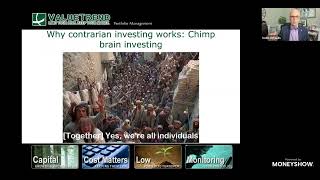
Many investors get caught up in popular investment themes. They enthusiastically buy near the top, then fearfully sell near the bottom when the market corrects its excess. Conversely, the greatest investment returns in history have been made by betting against the crowd during extreme investor sentiment. But how do we know when the market has reached an opportunistic inflection point? Keith Richards' webinar will provide a bevy of contrarian analysis tools designed to help you identify an overbought and euphoric market. These same tools can help you profit by buying into an oversold market that has reached its capitulation stage.

TECHNICAL ANALYSIS
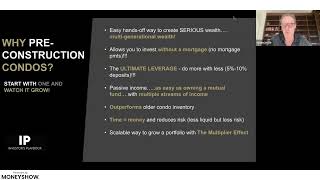
Discover the blueprint to start or expand your real estate portfolio from one to seven properties and build your pension through real estate so you can retire wealthy. Ideal for both new and experienced investors, this session covers identifying opportunities, making smart decisions, and using leverage to boost your portfolio. Join us to chart a direct course to financial freedom with seven properties.

REAL ESTATE
Virtual Expos














Sponsored Content















A 40-Year Passion and History
MoneyShow has a long history of creating successful investors and traders through timely investing and trading education, delivered by powerful experts who are best-selling authors, market analysts, portfolio managers, award-winning financial journalists, and newsletter editors. With MoneyShow’s interactive environment, our audience of over one million passionate investors and traders are offered a unique format of live, interactive exchange, which generates unparalleled experience for both the expert and the investor and trader.
With constant network expansion, we continue to create broader distribution of our expert commentary through virtual events, face-to-face forums, social media, and in-depth courses that educate and guide qualified investors and traders to outperform the market. Each session energizes, empowers, and educates everyone who participates. The opportunity for learning and profit within this highly charged atmosphere draws hundreds of thousands of enthusiasts, year after year.
View Courses